
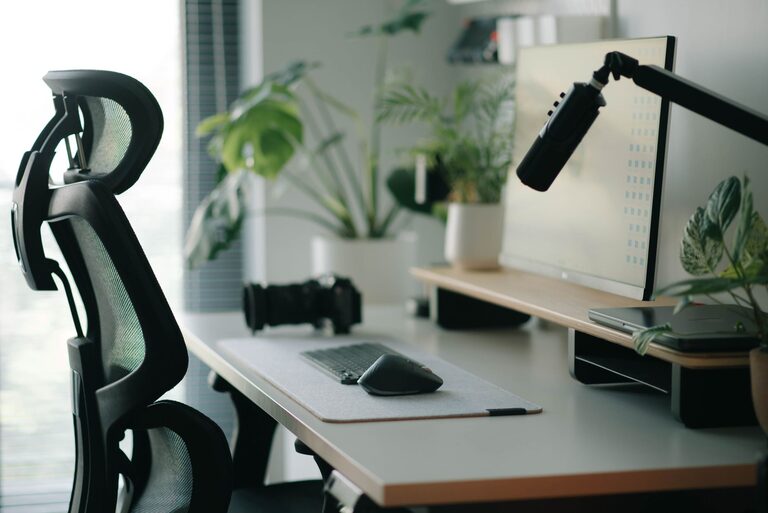
Creating a workspace that supports both focus and comfort is important, whether you work from home or in an office. A well-organized and thoughtfully arranged desk setup can help you stay productive and reduce physical strain throughout the day. In this post, we’ll share practical tips to help you design a desk setup that promotes concentration and comfort.
Why a Good Desk Setup Matters
Your desk setup plays a big role in how well you work. Distractions, discomfort, and clutter can all reduce your ability to focus. On the other hand, a clean, ergonomic, and personalized workspace can help you stay motivated and feel relaxed. This leads to better work quality, less fatigue, and overall well-being.
Choosing the Right Desk and Chair
Ergonomic Desk Height
The height of your desk affects your posture and comfort. Aim for a desk height where your elbows are at a 90-degree angle when typing or writing. For most people, this is about 28 to 30 inches from the floor, but adjustable desks are ideal if multiple users or tasks require different setups.
Comfortable Chair Support
Invest in a chair that offers good lumbar support and adjustable features. Your feet should rest flat on the floor or on a footrest, with knees at about a 90-degree angle. A comfortable chair reduces back and neck pain and lets you work longer without discomfort.
Optimize Monitor Placement
Eye Level and Distance
Place your monitor so the top of the screen is at or just below eye level. This helps reduce neck strain. Keep the screen about an arm’s length away, roughly 20 to 30 inches, so you can read without leaning forward.
Multiple Monitors
If you use more than one monitor, position them side by side and angled slightly inward. This setup minimizes head turning and makes it easier to view content across screens.
Organize for Maximum Focus
Declutter Your Workspace
Keep only essential items on your desk to avoid distractions. Store documents, cables, and supplies in drawers or organizers. A tidy space helps your mind stay clear and focused.
Use Desk Accessories
Use items like a desk organizer, pen holder, or cable clips to keep things neat. Consider a desk mat to define your workspace and add comfort.
Lighting Matters
Natural Light
Position your desk near a window to take advantage of natural light. It boosts mood and reduces eye strain. However, avoid glare on your monitor by angling the screen or using curtains.
Task Lighting
Add a desk lamp with adjustable brightness and direction. Good lighting reduces eye fatigue, especially when working in the evening or in rooms without sufficient natural light.
Incorporate Comfort Elements
Add a Wrist Rest
Use a padded wrist rest for your keyboard and mouse to support your wrists and reduce the risk of strain.
Personalize Your Space
Include elements that make you feel comfortable and motivated, like plants, photos, or artwork. Greenery adds freshness and can improve air quality and mood.
Maintain Proper Temperature
Ensure your workspace is neither too hot nor too cold. Comfort in temperature contributes to your ability to focus.
Develop Good Habits to Complement Your Setup
Take Regular Breaks
Even the best desk setup can’t replace the need for breaks. Follow the 20-20-20 rule: every 20 minutes, look at something 20 feet away for 20 seconds to reduce eye strain.
Stretch and Move
Stand up and stretch periodically to relieve muscle tension. Consider using a sit-stand desk if possible to change your position throughout the day.
Keep Hydrated
Keep a water bottle nearby to stay hydrated. Dehydration can reduce concentration and energy.
Final Thoughts
Setting up a desk that balances focus and comfort doesn’t have to be complicated or expensive. Small changes, like adjusting your chair height or adding a lamp, can make a big difference. Remember to listen to your body and adjust your workspace as needed. With the right environment, you’ll be able to work more efficiently and feel better throughout the day.